Content tools for home-service pay-per-call affiliates.

Create marketing drafts, AI images and reply templates around your service, city and tracking number. Review every output and your channel’s rules before publishing.

For 86 home services: water heaters, plumbing, HVAC, roofing, water damage, remodeling and more.

Try 15 free credits

No card required. Or run a free SEO check on any page, no sign-up.

Founding members: first 50 subscribers keep launch pricing from $9/mo. See plans

lakewoodwaterheaterhelp.com
Water heater repair · Lakewood, CO

Water Heater Repair in Lakewood, CO

No hot water, leaks or strange noises? Talk to a local pro today.

📞 Call (555) 010-0142
Signs to watchRepair or replaceFAQsAreas served
HomeWater heatersDrain cleaningArvadaBlog
Example page from the site builder · placeholder number
SEO audit
96
lakewoodwaterheaterhelp.com
1 of 31 checks needs work
On-page SEO100
Calls100
Local & schema100
Technical88
Disclosures100
Illustrative audit layout · check your own page
Where are you starting?

Two ways in, one goal: sites built to bring calls.

NEW

I'm new to pay-per-call

Start with 6 short lessons on how calls are paid for, picking a service and city, building a site and applying to a network. Then scan your first market and build your first site with the 15 starter credits.

  1. Read the lessons (no credits)
  2. Scan 10 cities for an opening
  3. Build a site around your tracking number
  4. Apply to a network with a live URL
PRO

I already run offers

Find thin markets fast, build multi-service, multi-city sites on your own domains, and watch rankings week by week. Marketplace drafts and reply packs for every service are there when you post locally.

  1. Scan cities with the Opportunity Finder
  2. Build up to 24 pages per site, with blogs
  3. Audit, connect a domain, submit to search engines
  4. Track Google rankings weekly
One account, from idea to calls

Find a market, build the site, check it, track it.

New to pay-per-call? Read the 6 short lessons first: they take you from choosing a service and city to a live site and a network to apply to.

How it works

From brief to reviewed draft in a few minutes.

  1. Write a brief

    Choose a service and a city. Optional AI market picks suggest where to post next from a reference list.

  2. Add your number

    Paste the tracking number from your network and pick a listing style: same-day, seasonal, local, or a mix.

  3. Generate drafts

    Get titles, descriptions, reply templates and optional AI images, each run through the network-rule checks.

  4. Review, edit, publish

    Read every draft, fix anything that isn't right, and confirm your channel permits the offer before you publish.

What's included

Drafts, images and replies for each service and city.

Listing writer

Different titles and descriptions for each city and style, so you're not starting from a blank page.

AI images

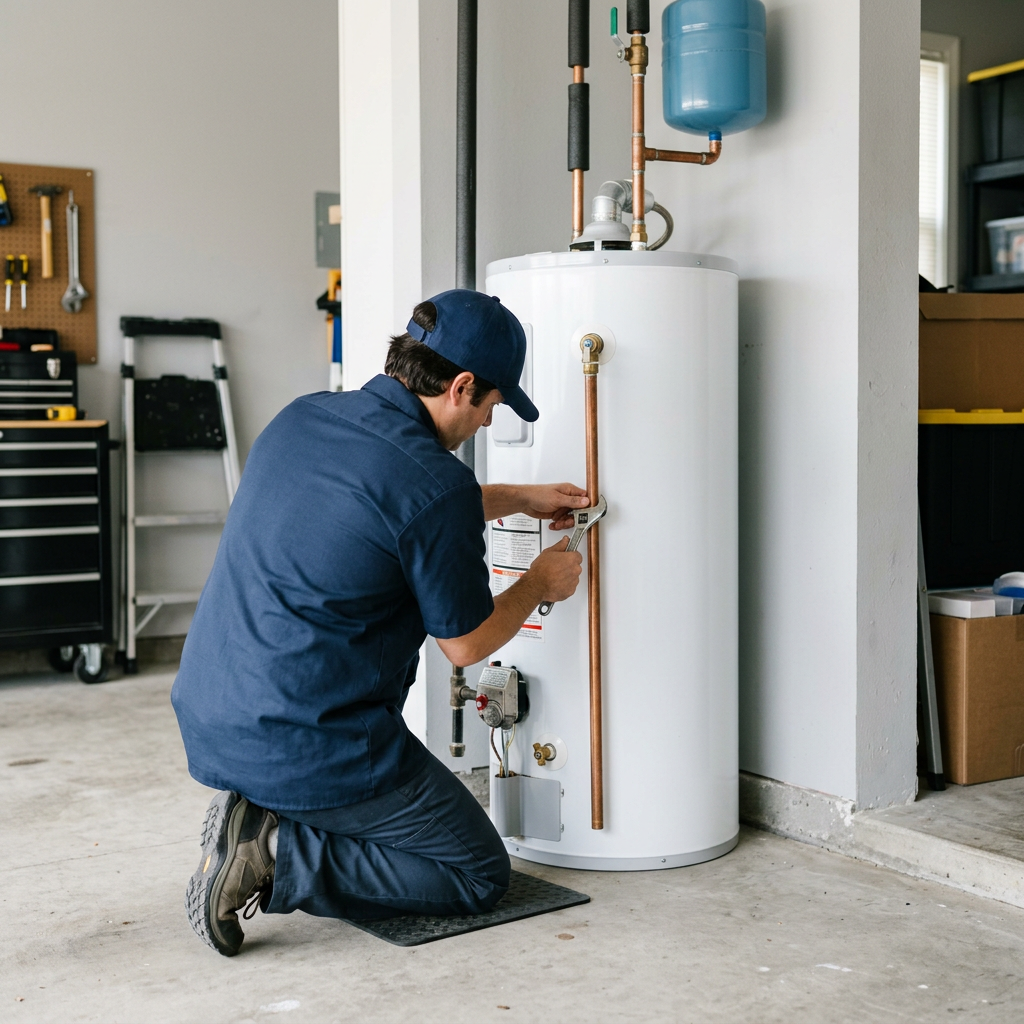
An AI-generated image laid out in a light or dark 1080×1080 design with the city and your number. Label it as illustrative; it isn't a real job.

Network-rule checks

Checks drafts against the network rules configured in CallPosts. Passing these checks does not mean a platform permits your offer or guarantees approval.

Reply packs for every service

Copy-ready answers for availability, urgent problems, "how much?" and "are you the company?", written for each of the 86 services, that move the conversation to a phone call.

AI market picks

Suggests a service and city to try next, weighing reported payouts, the season and what you posted recently. Suggestions, not forecasts.

Canva templates

23 service templates in light and dark styles that open as a copy in your own Canva, plus AI headlines to paste in.

Networks

Using Lead Smart? Bring your own tracking number.

CallPosts is an independent tool, not affiliated with or endorsed by Lead Smart or Meta. Networks manage their own approvals, tracking numbers and payouts.

Using Lead Smart

Copy a tracking number from your Lead Smart dashboard and paste it into your brief in CallPosts.

Using another network

Any 10-digit tracking number works. Check your network's own rules too: the checks in CallPosts are set up for the rules listed below.

Network-rule checks

What the checks look for.

Checks drafts against the network rules configured in CallPosts. Passing these checks does not mean a platform permits your offer or guarantees approval.

✕No service prices, rates, discounts or coupons in drafts or replies.
✕No offers that say or imply the service costs nothing.
✕No invented reviews, ratings, licences, guarantees or warranties.
✕No links or web addresses in listing drafts.
✓States that calls connect to independent local providers.
✓Your tracking number appears in the draft.

Rule source: Lead Smart's publisher guidance for home-service offers, as supplied to CallPosts. Last reviewed October 21, 2026. Before you promote an offer on any channel, confirm that the channel permits it.

See it work

One real draft, start to finish.

This is actual output from CallPosts, unedited except where step 4 shows the changes a person made. The phone number is a 555 test number.

  1. Brief

    Service
    Water Heater Repair
    City
    Peoria, AZ
    Tracking number
    (623) 555-0147
    Listing style
    Question hook
    Drafts
    1 (1 credit)
  2. Generated draft

    Water heater not giving hot water? Repair help in Peoria, AZ

    Water heater not giving hot water?

    It could be a failed heating element, a bad thermostat, or a pilot light that will not stay lit. A local pro can check the tank and tell you whether it needs a repair or a replacement.

    Call 623-555-0147 and tell us what you are seeing. We connect you with trusted local pros serving Peoria, Vistancia, Fletcher Heights and nearby Glendale.

    Cold showers are no way to start the day. Call 623-555-0147 to get an exact quote for your job.

    Reply template: “Hi, thanks for messaging. Pricing depends on the job, such as the type of water heater and what is wrong with it. The fastest way to get an exact quote is to call 623-555-0147.”

  3. Network-rule checks

    • ✓No “free” wording
    • ✓No prices or dollar amounts in the text
    • ✓No discounts or coupons
    • ✓No licence, guarantee or warranty claims
    • ✓No reviews, ratings or years in business
    • ✓No links or web addresses
    • ✓No long ALL-CAPS runs
    • ✓Tracking number included
    • ✓Title under 90 characters
    • ✓Opening line differs from other drafts

    10 of 10 passed. That means the draft matches the network rules configured in CallPosts, not that a platform will accept it.

  4. Human edits

    It could be a failed heating element, a bad thermostat, or a pilot light that will not won't stay lit. …

    Call 623-555-0147 and tell us what you are're seeing. We connect you with trusted local pros serving Peoria, Vistancia, and Fletcher Heights and nearby Glendale.

    Why: plainer wording; “trusted” removed because the publisher can't vouch for each provider; Glendale removed because this tracking number doesn't cover it. Before publishing, the publisher also confirmed the channel permits this kind of offer.

  5. Finished output

    AI-generated image of a technician servicing a tank water heater
    AI-generated image · illustrative, not a real customer job
    Water heater not giving hot water? Repair help in Peoria, AZ

    Water heater not giving hot water?

    It could be a failed heating element, a bad thermostat, or a pilot light that won't stay lit. A local pro can check the tank and tell you whether it needs a repair or a replacement.

    Call 623-555-0147 and tell us what you're seeing. We connect you with local pros serving Peoria, Vistancia and Fletcher Heights.

    Cold showers are no way to start the day. Call 623-555-0147 to get an exact quote for your job.

    Credits used: 4 (text 1 + AI image 3).

Try 15 free creditsNo card required.
Pricing

Choose a credit plan that fits your workflow.

Every account starts with 15 credits to try it first. Unused credits roll over.

Founding member offer: the first 50 subscribers keep their launch price for as long as they stay subscribed.

Starter

$9 / month

For testing a few markets.

  • 100 credits a month
  • About 33 site pages, or a 10-page site plus blog posts and audits
  • Quick SEO checks and reply packs at no cost
  • Custom domain and search engine submission
  • Listing drafts and all 23 Canva templates
  • Unused credits roll over
Try 15 free credits
Most popular

Pro

$19 / month

For working across several services and cities.

  • 350 credits a month
  • About 115 site pages a month: several full multi-service sites
  • About 5¢ per credit
  • Everything in Starter
  • Unused credits roll over
Try 15 free credits

Agency

$49 / month

For teams running many profiles.

  • 1,200 credits a month
  • About 400 site pages a month, for agencies running many sites
  • About 4¢ per credit, the lowest rate
  • Priority help setting up
  • Everything in Pro
  • Unused credits roll over
Try 15 free credits
Pay as you go: $5 for 40 credits, no subscription. Credits never expire.
Create account

What each action costs

Opportunity Finder scan (up to 10 cities)2 credits
Landing page (one service in one city)3 credits
Landing page + AI image6 credits
Full site: home, service and area pages included3 credits per service-and-city page (6 with images)
Blog post for a site2 credits
Full SEO audit with AI fix plan1 credit
Google rank check for one keyword in one city (weekly rechecks optional)1 credit per check
Listing draft (title, description, tags, reply templates, network-rule checks)1 credit
Listing draft + AI image4 credits
AI market picks (optional)1 credit
Quick SEO checks, domain search, reply packs, Canva templates, network-rule checks on your own text, editing pages, theme changes, lessonsNo credits

The app shows the full charge before each generation. If a generation fails, its credits are returned automatically. Cancel any time and keep the credits you already have.

Get started

Create an account and make your first drafts today.

Every new account starts with 15 credits. No card required.

Prefer to talk first, or setting up a team? Leave your details and we'll reach out.

Have an access code? Open the app and enter it under your account.